WEB ORIENT roller measurements: How to Record Dimensions Before Replacement
Introduction
Accurate documentation of roller dimensions is essential for maintaining Web Orient press performance. This guide explains how to capture the key measurements and identifiers of WEB ORIENT rollers before they are removed, using guidance drawn from Cooper Rollers’ official product information.
Key Takeaways
- Record roller diameter, face length, and overall length for every WEB ORIENT roller.
- Note colour‑coding bands and any item or journal codes visible on the roller.
- Capture visual identifiers such as numbering or custom markings.
- Store measurements in a consistent format to simplify re‑ordering and replacement.
Definition / What It Is
WEB ORIENT roller measurements refer to the set of physical dimensions—roller diameter, face length (the rubber‑covered portion), and overall length (including the core)—that determine a roller’s fit within a Web Orient press. These measurements ensure proper alignment, balanced rotation, and consistent ink or water transfer.
Technical Details
- Cooper Rollers describes its WEB ORIENT rollers as precision‑ground for balance and dimensional accuracy.
- Rollers are colour‑coded to enable fast, error‑free installation.
- Batch‑level quality control and compound traceability are highlighted as part of the “Quality You Can Measure” statement.
- The product page lists standard fields such as roller diameter, face length, and total length without providing numeric values.
Selection Factors
- Compatibility with the specific WEB ORIENT unit (ink‑form vs dampening).
- Compound suitability for the inks, solvents, or water films used on the press.
- Balance and dimensional accuracy as emphasized by Cooper’s precision‑ground claim.
- Availability of colour‑coding sets for quick identification during installation.
Process for Recording Roller Measurements
- Stop the press and secure the roller to prevent movement.
- Visually inspect the roller for wear, damage, or missing colour bands.
- Using a calibrated micrometer or digital caliper, measure the roller diameter at three positions and record the average.
- Measure the face length by aligning the measuring device with the start and end of the rubber segment.
- Measure the overall length from one journal flange to the other.
- Document any item codes, colour‑coding identifiers, or custom markings alongside the numeric measurements.
Troubleshooting Common Measurement Issues
- Inconsistent diameter readings – verify caliper zeroing and ensure the roller surface is clean of debris.
- Face length appears shorter – check whether the rubber segment has been trimmed or worn beyond the original specification.
- Missing colour‑coding bands – consult Cooper’s replacement guide; bands can be reapplied during service.
- Unreadable item or journal code – cross‑reference the roller’s markings with Cooper’s catalog listings.
Frequently Asked Questions
- Q: Do I need to record every dimension for a roller that will be re‑used? A: Yes. Documenting diameter, face length, and overall length confirms the roller remains within acceptable tolerances.
- Q: Are the colour‑coding bands mandatory? A: Cooper recommends them because they reduce installation errors, especially on busy press floors.
- Q: Can I rely on visual inspection alone? A: Visual checks are useful, but precise measurements are required for accurate replacement ordering.
Sources / Evidence
All factual statements in this guide are derived from Cooper Rollers’ official WEB ORIENT product page (source UID f60ec7b3-679e-47ac-ae8d-2bc5d601ed46). The page provides the list of roller measurement fields, colour‑coding conventions, and quality‑control language that underpin the recommendations herein.
Related Reading
For deeper insight into roller compounds, maintenance best practices, and press‑run optimization, consult Cooper Rollers’ broader technical library and the WEB ORIENT model support pages.
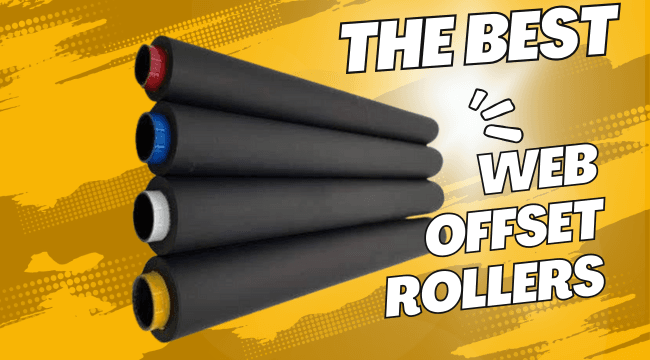
Featured illustration: Cooper Rollers’ existing web-offset rubber roller artwork. It illustrates the product category only and does not certify dimensions or components of any particular WEB ORIENT machine.